
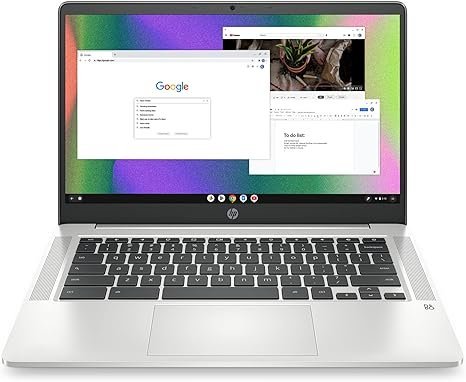

HP Chromebook 14 Lightweight Laptop
| Color | Mineral Silver |
|---|---|
| Hard-Drive Size | 64 GB |
| Operating System | Chrome OS |
| Other Special Features of the Product | Display: 14.0-inch diagonal, HD (1366 x 768), micro-edge, anti-glare, Operating system: Chrome OS, Processor: Intel Celeron N4120, internal storage: 64 GB eMMC |
| Graphics Description | Integrated |
| Graphics Coprocessor | Intel UHD Graphics 600 |
| Hard Disk Description | SSD |
| Item Weight | 3.24 Pounds |
About this item
Introduction
The HP Chromebook 14 Intel Celeron N4120 is a budget-friendly, lightweight laptop designed for everyday cloud-centric computing. Powered by Chrome OS and an efficient Intel Celeron processor, this 14-inch notebook balances portability, long battery life, and ease of use — perfect for students, travelers, and casual web users.
Key Specifications
| Feature | Details |
|---|---|
| Processor | Intel Celeron N4120 (up to 2.6 GHz) |
| OS | Chrome OS |
| RAM | 4 GB LPDDR4 |
| Storage | 64 GB eMMC |
| Display | 14″ HD (1366×768) anti-glare |
| Graphics | Intel UHD Graphics 600 |
| Battery Life | Up to ~14 hours |
| Weight | ~1.46 kg (3.2 lbs) |
| Connectivity | Wi-Fi 802.11ac, Bluetooth, USB-C, USB-A |
| Webcam | 720p HD |
| Use Case | Browsing, streaming, online classes |
Design & Display
The HP Chromebook 14 has a simple, minimalist design with a lightweight chassis that is easy to carry. Its 14-inch HD display with anti-glare coating is suitable for browsing, schoolwork, and media streaming, but it’s not as sharp or bright as Full HD screens on higher-end models.
Performance & Software
The quad-core Intel Celeron N4120 handles tasks like web browsing, Google Workspace apps, streaming, and video calls efficiently. Chrome OS is optimized for cloud-based use and boots quickly, but it isn’t designed for heavy multitasking or desktop-class software.
Ideal for:
Google Docs, Sheets, Slides
YouTube & Netflix
Online classes & email
Not ideal for:
Heavy number of open tabs/apps
Professional video editing or complex productivity tools
Battery Life & Connectivity
This Chromebook offers long battery life, lasting up to ~14 hours on a single charge. Connectivity options include Wi-Fi and Bluetooth support, plus USB-C and USB-A ports for peripherals.
Pros & Cons
| Pros | Cons |
|---|---|
| Lightweight & portable | Limited internal storage (64 GB eMMC) |
| Long battery life (~14 hrs) | Display is only HD (1366×768) |
| Easy-to-use Chrome OS environment | Not ideal for demanding apps |
| Affordable price tag | Chrome OS limits traditional desktop software |