

About this item
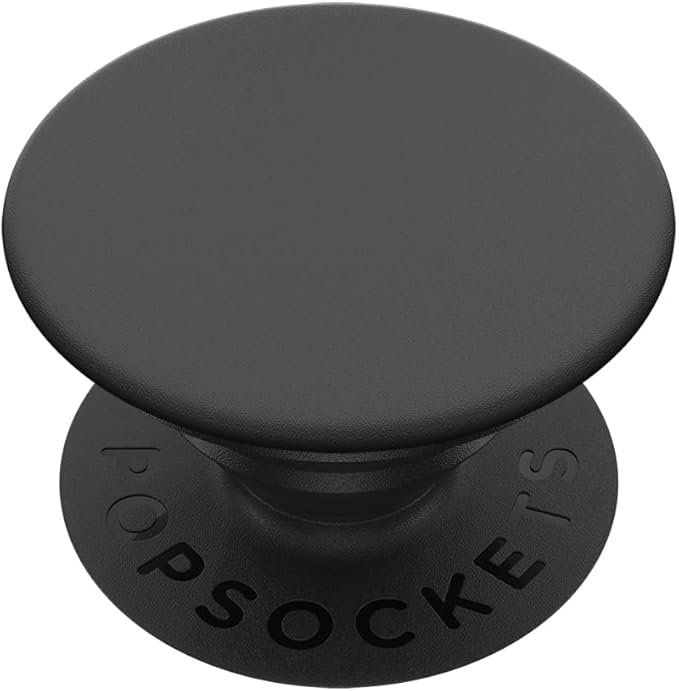
PopSockets Phone Grip with Expanding Kickstand
The PopSockets Phone Grip with Expanding Kickstand is a popular phone accessory that adds a secure grip, stand functionality, and personalization to your smartphone. It attaches to the back of your phone or phone case and expands or collapses with a simple pop, providing a comfortable way to hold your device or prop it up for viewing media hands‑free.
This accessory is especially useful for users who want better stability while texting, scrolling, snapping photos, or watching videos, and it also helps reduce the risk of dropping your device.
Key Specifications
| Feature | Details |
|---|---|
| Product | PopSockets Phone Grip with Expanding Kickstand |
| Attachment | Reusable adhesive base |
| Expansion | Collapsible pop‑out grip |
| Functionality | Finger grip and kickstand |
| Compatibility | Phones and cases |
| Material | Durable plastic and adhesive pad |
| Use Case | Grip enhancement, hands‑free viewing |
Design & Build Quality
The PopSockets grip features a circular pad with an expanding accordion‑style stem that pops out when needed and collapses flat when not in use. The adhesive base affixes securely to most phone backs or compatible phone cases while allowing repositioning or removal with minimal residue if changed properly.
Build quality is solid and durable for everyday use, with textured surfaces or designs that add personality and grip comfort.
Grip Comfort & Handling
One of the main benefits of the PopSockets Phone Grip is improved phone handling. With your finger looped around the grip, you get a more secure hold, reducing the chance of accidental drops — especially on larger phones or when using one hand.
This grip also makes it more comfortable to scroll, text, and take photos, especially for users with larger phones or smaller hands.
Expanding Kickstand Function
The expanding kickstand function allows you to prop your phone upright in landscape mode for watching videos, video calling, or browsing. The pop‑out grip doubles as a stand, letting you set your phone on flat surfaces hands‑free — perfect for:
Watching movies or series
Following recipes in the kitchen
Video calls
Gaming with a stable viewing angle
The kickstand works well on desks, kitchen counters, and other smooth surfaces.
Installation & Compatibility
Installing a PopSockets grip is simple:
Clean the phone back or case surface
Peel off the adhesive backing
Position and stick the PopSocket where it feels comfortable
Press firmly to secure
Expand when needed, collapse when not
It is compatible with most phones and phone cases, though very curved or textured surfaces may reduce adhesion strength.
Personalization & Style
PopSockets grips often come in various colors, designs, and patterns, letting users personalize their phones to reflect style or interests. From solid colors to printed graphics, this accessory combines function with personality.
Pros & Cons
| Pros | Cons |
|---|---|
| Improves phone grip security | Adhesive may weaken over time |
| Expanding kickstand for hands‑free viewing | Bulkier than slim phone backs |
| Easy installation and repositionable | Not ideal for wireless charging while attached |
| Compatible with many phones/cases | Design may peel at edges |
| Fun designs and personalization | Some surfaces reduce grip adhesion |
| Helps reduce accidental drops | Not as stable on uneven surfaces |