
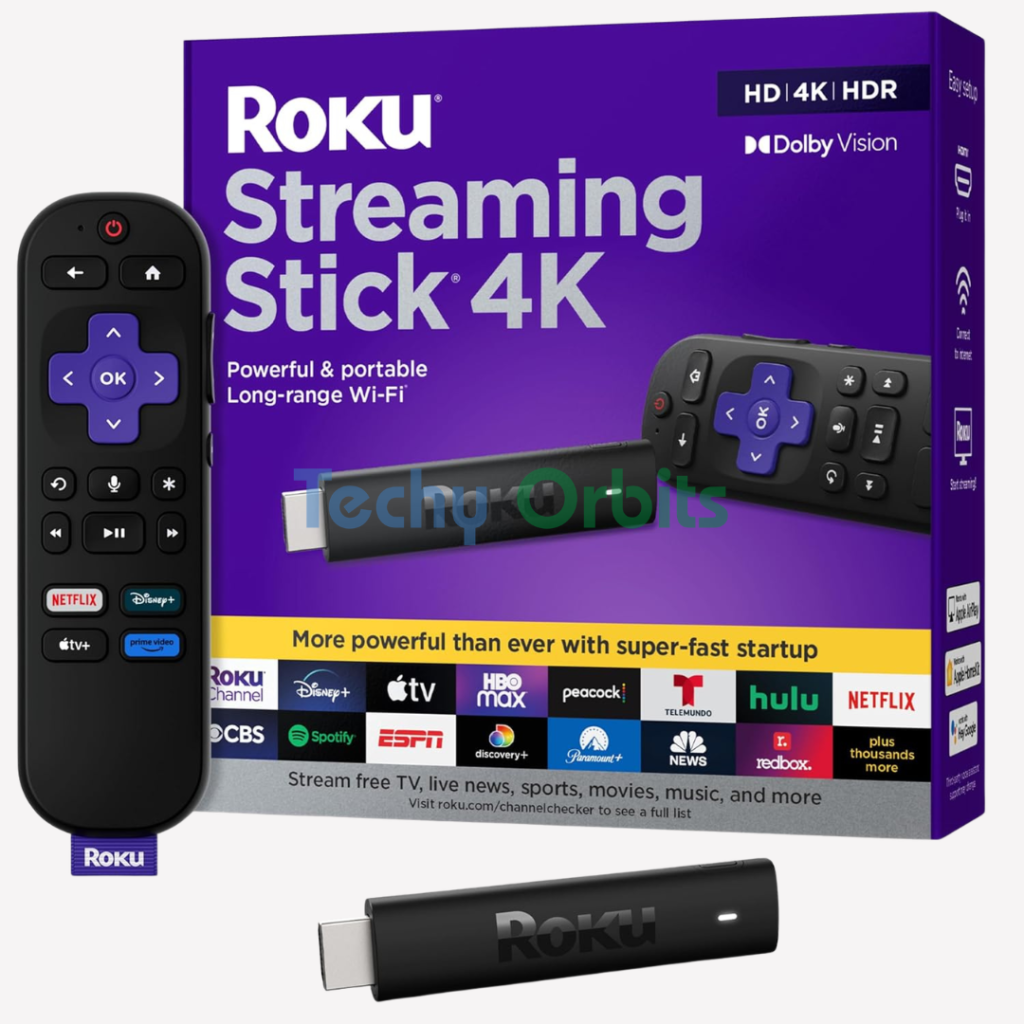
Roku Streaming Device for TV with Voice Remote
| Brand | Roku |
| Connectivity Technology | Wi-Fi |
| Connector Type | HDMI |
| Special Feature | Dolby Vision, TV Control |
| Resolution | 4k |
| Supported Internet Services | Hulu, Netflix, Pandora, Prime Video, Vudu |
| Controller Type | Remote Control, Voice Control |
| Form Factor | TV Stick |
| Color | Black |
| Model Name | Roku Streaming Stick 4K |
About this item
Roku Streaming Device for TV with Voice Remote
A Roku Streaming Device with Voice Remote is a powerful yet easy-to-use solution that transforms any TV into a smart entertainment hub. Whether you want to watch Netflix, YouTube, Prime Video, or free channels, Roku gives you access to thousands of streaming apps in one place.
The included voice remote makes navigation even easier — allowing you to search, play content, and control your TV using simple voice commands instead of typing.
Key Features
🎤 Voice Control Functionality
The Roku voice remote lets you search content, launch apps, and control playback using your voice. Just press the voice button and say what you want to watch.
📺 Smart Streaming Access
Access popular platforms like:
- Netflix
- YouTube
- Amazon Prime Video
- Disney+
- Roku Channel (free content)
Everything is organized in a simple, user-friendly interface.
🔌 Easy Plug-and-Play Setup
Just plug the Roku device into your TV’s HDMI port, connect to Wi-Fi, and start streaming — no technical skills required.
📡 Wireless Remote (No Pointing Needed)
Unlike traditional remotes, the Roku voice remote uses wireless connectivity, so you don’t need to point it directly at the TV.
🔊 TV Control Buttons
Control power, volume, and mute directly from the same remote — no need for multiple remotes.
⚡ Fast & Smooth Performance
Modern Roku devices offer quick navigation, smooth playback, and support for HD, Full HD, or even 4K streaming depending on the model.
🎯 Shortcut Buttons
Quick-launch buttons for popular apps help you start streaming instantly.
How It Works
- Connect the Roku device to your TV via HDMI.
- Set up Wi-Fi using on-screen instructions.
- Pair the voice remote (usually automatic).
- Press the voice button and speak commands like:
- “Play action movies”
- “Open YouTube”
- “Search comedy shows”
Roku processes your voice and performs the action instantly.
Pros and Cons
| Pros (Advantages) | Cons (Disadvantages) |
|---|---|
| Voice search saves time | Voice feature may be limited in some regions |
| Easy setup and simple interface | Requires stable internet connection |
| One remote for TV + streaming | Some features need account setup |
| No need to point remote (wireless) | Advanced models cost more |
| Access to thousands of apps | Subscription needed for premium apps |
| Compact and portable device | Limited offline functionality |
Best Uses
The Roku Streaming Device with Voice Remote is ideal for:
- Turning a normal TV into a smart TV
- Easy streaming for non-tech users
- Voice-based search instead of typing
- Watching movies, shows, and live TV apps
- Travel — use it in hotels or different TVs
- Budget-friendly home entertainment setup
Why Choose Roku with Voice Remote?
Roku stands out because of its simplicity, affordability, and powerful voice features. Compared to many smart TV systems, it offers:
✔ Faster and cleaner interface
✔ Better app organization
✔ Easy voice control
✔ Wide compatibility with TVs
Voice commands allow you to skip typing and instantly find content, making it perfect for daily use.